 Menu
Menu
SOC 2 Type 2 controls aren’t just about designing strong safeguards—they prove those safeguards work consistently over time. By logging and testing controls throughout an extended window, you show customers and partners that your security program is more than talk.
How SOC 2 Type 2 Controls Work
Imagine a SOC 2 Type 1 audit as a single photograph of a vault door—great for a quick check, but frozen in time.
In contrast, a SOC 2 Type 2 audit is like setting up 24/7 surveillance cameras that record every access attempt over 3–12 months.
That ongoing view highlights the gap between a one-off snapshot and true, continuous assurance.
- Type 1 reviews whether controls are designed appropriately at one moment.
- Type 2 tests both design and operating effectiveness over an operating period.
- The operating period is simply the span of time auditors sample controls.
Operating Period Defined
The operating period marks the audit window when your controls must run without a hitch.
During this window, auditors pull logs, reports, and system records to make sure your controls behave the same way each day.
Control Objectives Explained
Control objectives turn broad requirements into specific, verifiable actions.
For instance, a user access review objective might read: “Verify that only authorized personnel maintain system access.”
- Security prevents unauthorized access and data breaches.
- Availability ensures your services stay up and running.
- Processing Integrity guarantees data accuracy and completeness.
- Confidentiality protects sensitive information from exposure.
- Privacy governs how you collect, use, and dispose of personal data.
Assign clear ownership for each objective, document the steps you’re taking, and keep evidence—screenshots, logs, approval records—tidy and traceable. This preparation turns audits from a scramble into a smooth conversation.
“Continuous controls reassure customers and regulators that security is more than a policy—it’s practice.”
A steady stream of evidence not only eases due diligence but also speeds up contracting and slices through endless security questionnaires.
Comparing Type 1 And Type 2
A Type 1 report gives you a design review at a single point in time—think of it as a “yes” or “no” to your control blueprint.
By comparison, Type 2 delivers “yes, and here’s the proof” by sampling your controls over 3–12 months.
- Type 1 Duration: Instant design validation.
- Type 2 Duration: 3–12 months of continuous monitoring.
- Type 2 Evidence: Richer insight into how well controls actually perform.
When you frame compliance as a living, breathing process instead of a static checkbox, procurement teams see the strategic value—and the ROI—more clearly.
Next up: mapping each control to the relevant Trust Services Criteria for crystal-clear accountability.
Mapping Trust Services Criteria to Controls
When you peel back the curtain on a SOC 2 Type 2 program, you’ll find five core layers—each one guarding a different angle of your operations. Think of it as building a vault: every ring of protection serves a unique purpose, but they all work together to keep your data secure and trustworthy.
Vault Layers Explained
Imagine the Security layer as the heavy steel door with digital and mechanical locks. It’s your first line of defense against unauthorized entry.
Next, the Availability ring acts like backup generators and failover networks. Even if something goes wrong, your services stay up.
Then there’s Processing Integrity, which is your vault’s inventory system. It double-checks every deposit and withdrawal so nothing slips through the cracks.
Meanwhile, Confidentiality wraps sensitive information in encryption and access controls to stop prying eyes.
Finally, Privacy ensures you collect, use, and dispose of personal data in line with commitments you’ve made to your customers.
“Fitting each control to its criterion is like matching the right gasket to each tunnel in the vault.”
Infographic Visualization
This diagram shows how SOC 2 Type 2 controls stack up as core pillars, driving continuous monitoring, customer trust, and sales enablement.
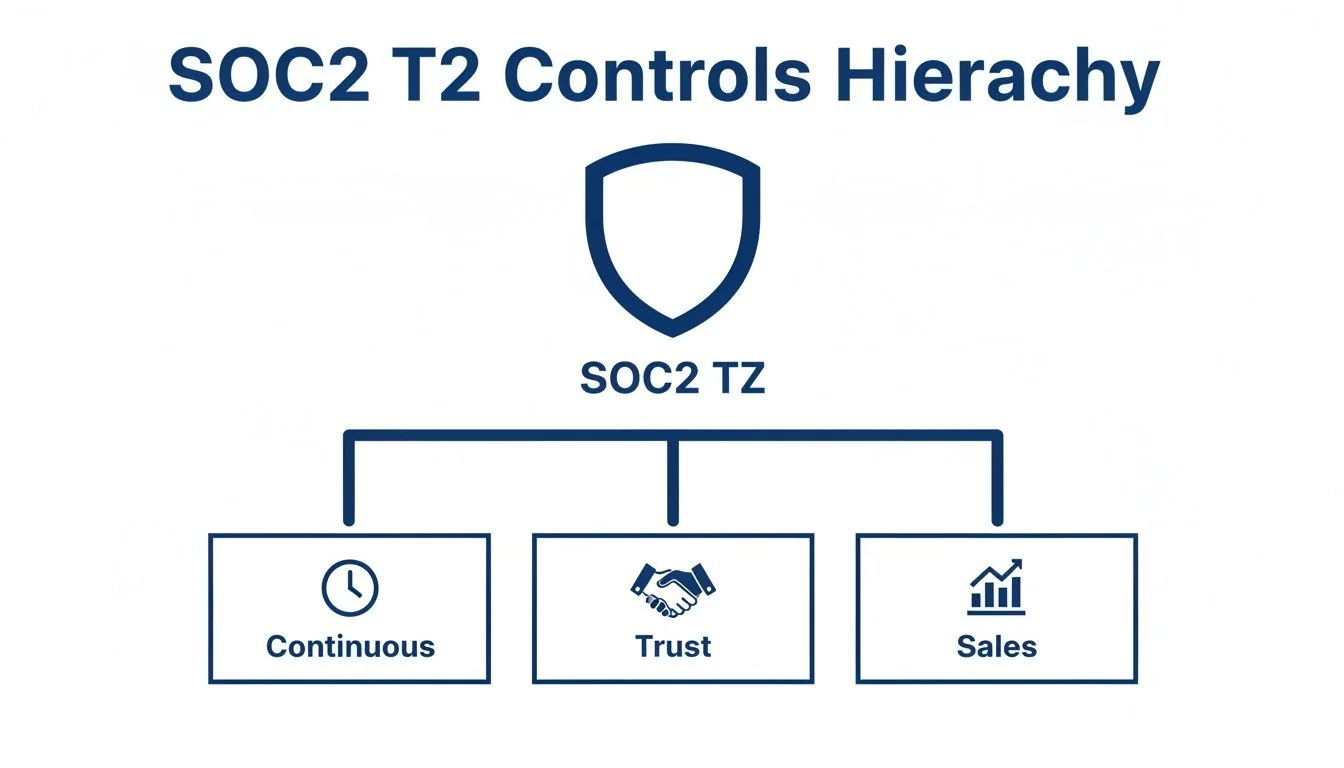
Mapping of Trust Services Criteria to SOC 2 Type 2 Controls
Below is a side-by-side look at each Trust Services Criterion, the control objective it supports, and a concrete control example you can adapt.
| Trust Services Criteria | Control Objective | Example Control |
|---|---|---|
| Security | Prevent unauthorized access and breaches | Enforce MFA on all admin accounts and review access logs weekly |
| Availability | Maintain service uptime and resilience | Conduct monthly backup restores and annual failover drills |
| Processing Integrity | Ensure data is processed accurately and completely | Implement automated data validation and reconcile transaction logs daily |
| Confidentiality | Safeguard sensitive information from unauthorized view | Encrypt databases at rest and audit decryption key usage quarterly |
| Privacy | Manage personal data throughout its lifecycle securely | Enforce data retention policies and validate deletion requests within 30 days |
This comparison helps you draft control statements that tie directly to what auditors expect—and what your customers demand.
Key Takeaways
- Map each criterion to a clear control objective for audit readiness.
- Draft measurable control actions using a structured table format.
- Align your policy library with the official AICPA domains to streamline attestations.
For additional insights, check out our guide on SOC 2 Trust Services Criteria in our detailed article on Trust Services Criteria.
Moving Forward
- Identify gaps between your current controls and the mapped objectives, then prioritize remediation.
- Assign ownership to team members and set clear timelines for implementing or refining each control.
- Schedule regular reviews to test both the design and operating effectiveness throughout your chosen period.
This structure sets you up for a smoother audit and stronger customer confidence.
Crafting Control Statements And Gathering Evidence
A crisp control statement turns SOC 2 Type 2 requirements into clear, testable actions. It closes the gap between broad Trust Services Criteria and the day-to-day practices your team follows. When statements are straightforward, auditors move faster—and stakeholders gain confidence.
Consider this example:
“IT managers review and approve system access for all users every 90 days.”
Pair that with timestamped logs from your Identity and Access Management (IAM) tool, and you’ve got a rock-solid audit trail.
- User Access Recertification triggers quarterly reviews in your IAM system so only current employees retain privileges.
- Encryption Enforcement runs automated scans to verify all data at rest uses AES-256 keys and logs each event.
- Configuration Change Management captures every system update in your ticketing platform and checks it against baseline settings within 24 hours.
Sample Control Statements With Evidence Types
Below is a quick reference that links sample statements to the evidence you’ll need and where to find it.
| Control Statement | Evidence Type | Evidence Source |
|---|---|---|
| IT managers review and approve system access for all users every 90 days | Access review logs | IAM system reports |
| Verify that all databases are encrypted at rest using AES-256 and key rotation occurs quarterly | Encryption status logs | Automated scan reports |
| Record and validate all configuration changes against the baseline within 24 hours | Change logs | Ticketing system exports |
This table shows key statements alongside the proof auditors expect. Use it as a blueprint when building your own controls.
Adapting Control Templates
Every team’s setup is unique. Make these templates yours in four simple steps:
- Draft the control text with placeholders for your systems, roles, and timing.
- Swap in actual names: your ticketing tool, your security lead, and your review cadence.
- Align the review schedule to business rhythms—quarterly, monthly or even weekly.
- Run the final version by both tech and compliance to catch gaps early.
Once you’ve customized each statement, map it to the right Trust Services Criteria—Security for access reviews, Confidentiality for encryption, and so on. That way you’ll cover every domain in your audit scope.
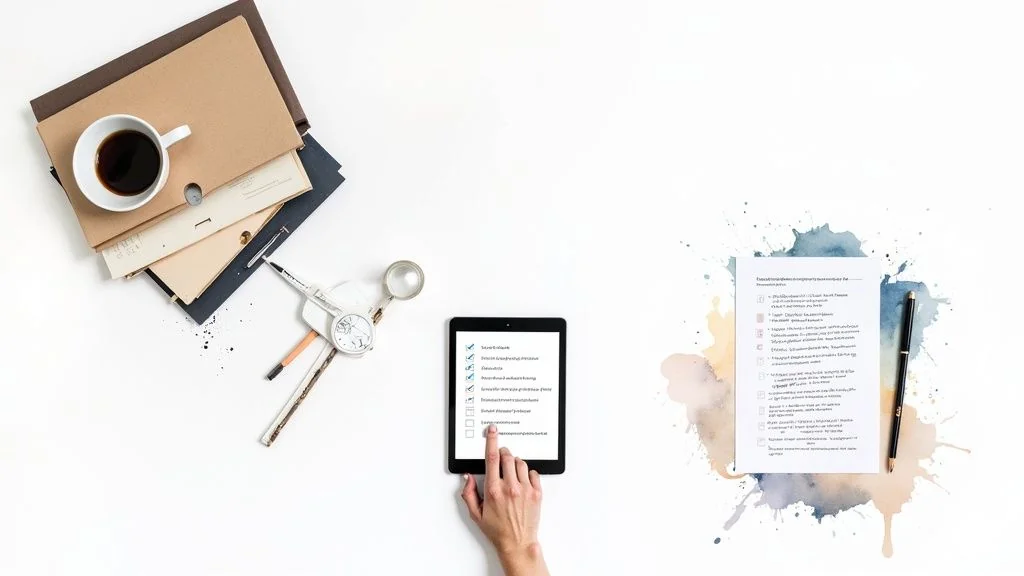
Below is a screenshot showing a control statement template paired with its evidence source.
Tips For Effective Evidence Collection
Gathering proof is just as critical as writing the statement itself.
- Use automated logs that include user IDs, timestamps and detailed change records.
- Assign clear control ownership so every artifact has an accountable party.
- Store evidence in a central repository with version control to avoid gaps.
- Schedule regular reconciliations to spot discrepancies long before auditors begin sampling.
Learn more about defining internal control procedures in our guide on internal control procedures.
“Clear, measurable control statements and consistent evidence collection can reduce audit cycles by up to 30%, according to industry benchmarks.”
Align Evidence With Criteria
Each Trust Services Criterion calls for different proof.
Security controls lean on access logs, incident reports and MFA configuration snapshots.
Availability relies on uptime dashboards, backup logs and failover exercise summaries.
Processing Integrity needs data reconciliation records and transaction validation summaries.
Confidentiality taps into key rotation histories and classification reports.
Privacy audits draw from consent logs, DPIA findings and deletion request records.
Mapping these evidence types to each control statement ensures you know exactly where auditors will look.
Organize Evidence Into Artifacts
Group your artifacts by control and by reporting period.
A simple spreadsheet or compliance platform can track document names, dates and owner notes.
Update this inventory monthly and flag missing items at least four weeks before audit sampling.
This proactive approach eliminates last-minute scrambles and smooths out your SOC 2 Type 2 journey. Continuous monitoring and clear, evidence-backed controls form the bedrock of a successful report.
Implementing Continuous Monitoring for SOC 2 Type 2 Controls
Continuous monitoring acts like a real-time health check for your security posture. Think of each control as a vital sign—when you track them consistently, you spot anomalies before they become incidents.
By automating data collection with SIEM, EDR, and vulnerability scanners, you build the time-stamped audit trail every assessor expects. Routine scans and periodic recertifications set the baseline you’ll measure against.

Setting Up Automated Telemetry
Start by choosing your key indicators—failed logins, patch status, configuration changes. These become the widgets on your live dashboard.
- Use a SIEM for centralized logging with 6–12 months of retention
- Deploy EDR agents to capture endpoint events and trigger alerts
- Schedule vulnerability scans weekly or monthly
Not all alerts deserve the same attention. Setting clear thresholds keeps your team focused.
- Flag when there are five failed logins in five minutes
- Trigger an alert if servers go 30 days without critical patches
- Notify when CPU or memory usage breaches agreed limits
Automation can cut manual evidence-gathering by up to 30%, letting your compliance team spend more time analyzing results than chasing data.
Mapping Controls To Trust Criteria
Every control should tie back to one of the AICPA’s Trust Services Criteria. It clarifies scope and streamlines audit sampling.
| Control Type | Trust Criterion | Example Frequency |
|---|---|---|
| Access Reviews | Security | Quarterly |
| Patch Scanning | Processing Integrity | Weekly |
| Log Retention | Availability | 6 Months |
This map helps you assign clear ownership, schedule tests, and match evidence directly to audit objectives.
Embedding Controls In Daily Operations
Think of your controls as routine health checks in a hospital ward. Every scan, review, and alert feeds a live dashboard that flags any deviation immediately.
- Rotate control ownership monthly to keep fresh perspectives
- Include monitoring updates in daily standups
- Tie alerts directly into incident response workflows
Regular rotation prevents fatigue and encourages new insights. When controls become part of everyday routines, you build a security-first culture instead of scrambling before an audit.
Monitoring And Testing Best Practices
No tool is perfect—combine automation with human spot checks. A quarterly manual review often catches subtle misconfigurations that scanners miss.
“Continual reviews reduce audit surprises and boost control reliability.”
SOC 2 Type 2 demands proof of ongoing operation. Auditors will sample telemetry and process documentation over a 3–12 month window, looking for:
- Quarterly access recertifications
- Weekly vulnerability scans
- Centralized logs retained for 6–12 months
Embedding these tasks into daily work means you’re always ready, not just at audit time.
Centralize SIEM, EDR, and scanner outputs in one dashboard. A unified view reveals patterns faster and cuts investigation time in half.
Reacting And Escalation Paths
When an alert fires, a clear process keeps response times tight and impact minimal.
- Acknowledge alerts within 15 minutes and assign an owner
- Escalate unresolved issues to security leads after 1 hour
- Document every investigation step and outcome
Link each control to a team or individual, and capture escalation steps in a playbook. Review on-call rotations quarterly to ensure there are no coverage gaps.
Common Rule Configuration Example:
- alert_rules
- name: “Failed Login Spike”
- threshold: 5
- window: “5m”
- action: “email_security_team”
For guidance on choosing audit partners and tooling that support continuous monitoring, visit SOC2Auditors.org. Continuous monitoring builds customer trust by showing controls operate reliably. With your logs and scans always active, audit readiness becomes second nature.
Auditor Testing And Reporting For SOC 2 Type 2 Controls
When audit day arrives, you want to think like the person on the other side of the table. Walk through each control exactly as an auditor would. That mindset reveals what evidence they need—and when they’ll ask for it.
At a high level, SOC 2 Type 2 testing unfolds in three stages:
- Design Evaluation confirms your controls are built correctly from the outset.
- Operating Effectiveness Checks ensure those controls actually run day in, day out.
- Sample Selection is where auditors choose specific data points—logs, transactions, user actions—to test.
Nailing this sequence upfront makes gathering screenshots, reports, and logs almost routine. You’ll know exactly which artifacts line up with each control and when to pull them.
Auditor Test Steps Explained
First, auditors review your control documentation end-to-end. They’re looking for clear policy language, assigned roles, and dependencies—think flowcharts, RACI matrices, that kind of clarity.
Next comes the real-world check: they’ll dive into system logs, extracts, and configuration snapshots to prove controls fire as designed. It’s like checking that every link in a chain holds under load.
Finally, sampling. Auditors treat this like taste-testing a soup: you don’t sample every spoonful, but enough to know the batch meets the recipe. Here’s how they typically approach it:
- Define The Population
Pinpoint the system or process and the relevant time frame. - Determine Sample Size
Balance risk considerations with materiality thresholds. - Select And Verify Events
Pull items—entries, transactions, access logs—and check timestamps align with your control objectives.
When testing wraps up, auditors hand you a draft internal control report. This preliminary version outlines:
- What they tested
- Any exceptions they found
- Follow-up actions you should plan
The final SOC 2 Type 2 report then delivers their formal opinion on both design and effectiveness. An unqualified opinion means your controls held up with no significant hiccups.
| Report Section | Description |
|---|---|
| Management Assertion | Confirmation that controls are implemented |
| Auditor Opinion | CPA’s view on design and ongoing effectiveness |
| Test Procedures | Detailed steps and sampling methods |
| Exceptions and Findings | Deviations noted and remediation guidance |
Reporting Language And Expectations
Auditors use precise terms to describe outcomes, so get comfortable with phrases like unqualified, qualified, and adverse opinions. A Type 2 report stands out because it shows controls working over time, not just on a single day.
“An unqualified SOC 2 Type 2 opinion means controls operated effectively across the audit period.”
Recent data shows 92% of organizations now schedule at least two audits or assessments each year. Even more striking, 58% conduct four or more, pushing audit cadence higher than ever before.
That intensity typically consumes about 15% of IT/security effort on SOC 2 readiness and upkeep. You can trim overlap by aligning calendars and evidence lists across SOC 1, SOC 2, and ISO 27001 audits. Here are a few practical tips:
- Correlate evidence-collection timelines with audit windows to avoid last-minute scrambles.
- Apply statistical methods early so sample pulls slot into testing without friction.
- Communicate deadlines in your project management tool—no one should wonder when evidence is due.
- Keep all artifacts in a central repository with clear version history and access logs.
Following these guidelines will streamline auditor interactions and speed up report delivery. When your evidence is organized, questions drop and confidence soars—both for your team and your customers. Mastering SOC 2 Type 2 isn’t about surprising auditors; it’s about showing them you have reliable, repeatable controls in place.
Choosing Auditors As A Startup Or Mid Market Team
Picking the right auditor often feels like choosing a co-pilot on a long flight. You need someone who understands your industry quirks, your tech stack and can navigate tight budgets without turbulence.
Getting these decisions right at the outset—scope, service level and engagement style—can mean the difference between a smooth compliance journey and a bumpy ride.
- Readiness Consulting: Gap analysis, policy drafting and tooling setup before formal testing
- Sampling Fees: Driven by the number of systems, controls in scope and evidence complexity
- Bundled Engagements: Discounts for combining Type 1 and Type 2 audits; phased plans spread out costs
Budgeting And Negotiating Audit Fees
Before you start comparing proposals, break down what really moves the needle on price. Auditors typically charge for setup consulting plus per-sample work, so defining each deliverable upfront is non-negotiable.
Lay out exactly which Trust Services Criteria you need, how many users you’ll include and where evidence will come from. Armed with that clarity, you can push for phased engagements or fixed-fee bundles that protect you from surprise line items.
By modeling a multi-year ROI, you’ll shift compliance from “just another expense” to a true sales accelerator.
Factoring Market Cost Trends
Audit budgets have drifted north in recent years, with SOC 2 Type 2 now a key checkbox in procurement. Small-to-mid teams report total costs from $30,000 to $80,000, while individual engagements fall between $7,000 and $50,000 by 2025.
Most groups spend 2–6 weeks on readiness work plus 3–12 months running controls—so labor, tooling and evidence management are your biggest levers. Sales teams love a strong Type 2 report, which is why many vendors pitch compliance as a multi-year investment.
“A well-negotiated SOC 2 Type 2 audit turns compliance into a sales accelerator,” recalls a mid-market CISO.
Balancing In-House And External Expertise
First, map your team’s bandwidth and skills. Small groups often automate evidence collection with SIEM or GRC platforms, then lean on consultants for the initial gap analysis. Mid-market firms might own controls internally but rely on auditors for sampling strategy.
To simplify your choice, ask each prospective auditor:
- What industry experience do you bring?
- Which Trust Services Criteria do you cover by default?
- How do you structure fees for readiness versus sampling?
- What tooling and automation is included, and what incurs extra charges?
Check out our guide on how to choose a SOC 2 auditor for detailed steps and comparison tips (https://soc2auditors.org/how-to-choose-soc-2-auditor/).
Evaluating Auditor Fit
Culture and communication style can make or break your timeline. Look for firms that openly share:
- Average Time to First Response (Days): Measures responsiveness
- Standard Report Delivery Window (Weeks): Helps with scheduling
- Client Satisfaction Rating (Out of 5): Gauges overall quality
SOC2Auditors.org aggregates verified data on 90+ firms, spotlighting both Type 1 and Type 2 strengths, pricing and responsiveness. This transparency lets you weigh Big Four options against niche specialists without guesswork.
“Our match with a firm that delivered in 6 weeks saved us $10K in overruns,” says a fintech CTO.
Next Steps
Lay out a clear roadmap and lock in internal checkpoints—readiness, evidence collection and periodic reviews. Vet references, dig into case studies and schedule discovery calls with at least two finalists to test responsiveness and technical depth.
Your Auditor Criteria:
- Industry: SaaS
- Budget Max: 50000
- Timeline: ≤ 6 months
With the right partner, your SOC 2 Type 2 audit becomes more than a checkbox—it turns into a strategic asset that wins deals and builds trust.
Frequently Asked Questions
In this FAQ, we’ve gathered the questions that tend to pop up when you’re gearing up for a SOC 2 Type 2 audit. You’ll see why Type 1 and Type 2 aren’t interchangeable, when to collect your evidence, common slip-ups to dodge, and how automation can lighten the load.
Key Difference Between Type 1 And Type 2 Controls
Think of Type 1 as a snapshot—you prove your controls are designed correctly at one point in time.
Type 2, on the other hand, is like a time-lapse video. Over an operating period (usually 3–12 months), you demonstrate that those controls actually work day in and day out.
- Type 1: design only, quick validation
- Type 2: design and operation, extended sampling
- Tests span the entire operating period
Optimal Evidence Collection Frequency
Each control has its own beat. For example, you might:
- Review user access quarterly
- Run vulnerability scans weekly or monthly
- Retain logs for 6–12 months
Keeping this cadence ensures your auditor sees proof of consistent operation, not just a one-off event.
“Automated evidence collection can cut audit prep time by up to 30%, according to industry benchmarks.”
Common Pitfalls To Avoid
Even seasoned teams stumble sometimes. Watch out for:
- Gaps in log retention when mixing manual and automated sources
- Undefined control ownership leading to missed reviews
- Vague control statements that confuse auditors
Clearing up these issues early saves you headaches down the road.
How Automation Streamlines Evidence
Platforms like SIEM and GRC tools gather time-stamped telemetry without manual exports. You link those outputs directly back to your control statements, handing auditors a tidy, self-documented package.
For more on how controls map to your obligations, revisit our Trust Services Criteria section. To understand auditor expectations during testing, jump to Auditor Testing. Armed with these insights, you’ll move forward with confidence.
Ready to find the right auditor? Compare firms by industry, budget, and timeline with SOC2Auditors. Get tailored matches in 24 hours—no cold calls, no hidden fees. Start here: SOC2Auditors.org